Digital payments have become a normal part of everyday life in Pakistan. From online shopping to local businesses, people increasingly use mobile wallets such as Easypaisa to send and receive money. While digital payments offer speed and convenience, scammers can also take advantage of them to trick unsuspecting users.
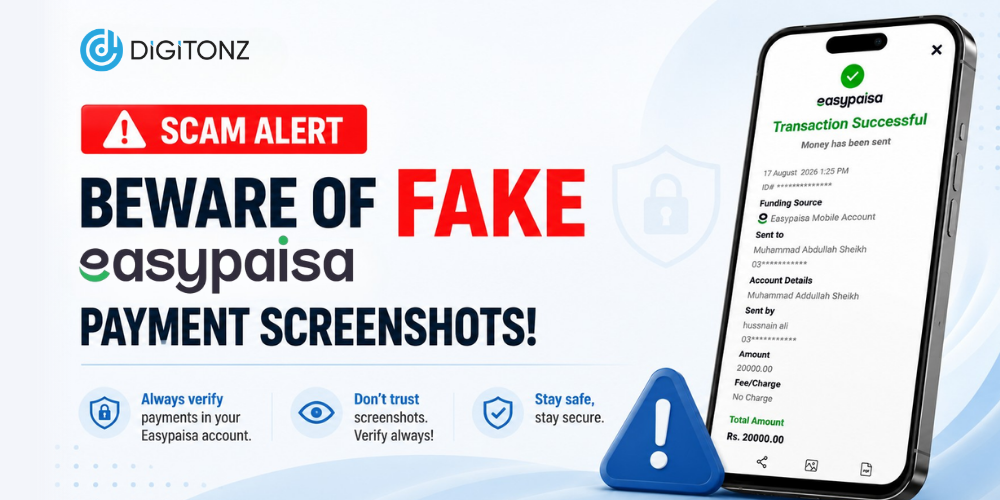
One increasingly common method involves Easypaisa fake payment screenshots. A scammer may claim that they have transferred money and send a screenshot as proof. The image may look like a genuine payment confirmation, but the money may never have reached the recipient’s account.
For sellers, freelancers, online businesses, and individuals accepting digital payments, understanding this type of fraud is important. The safest approach is simple: never consider a screenshot proof of payment until the transaction has been independently verified.
What Is a Fake Easypaisa Screenshot?
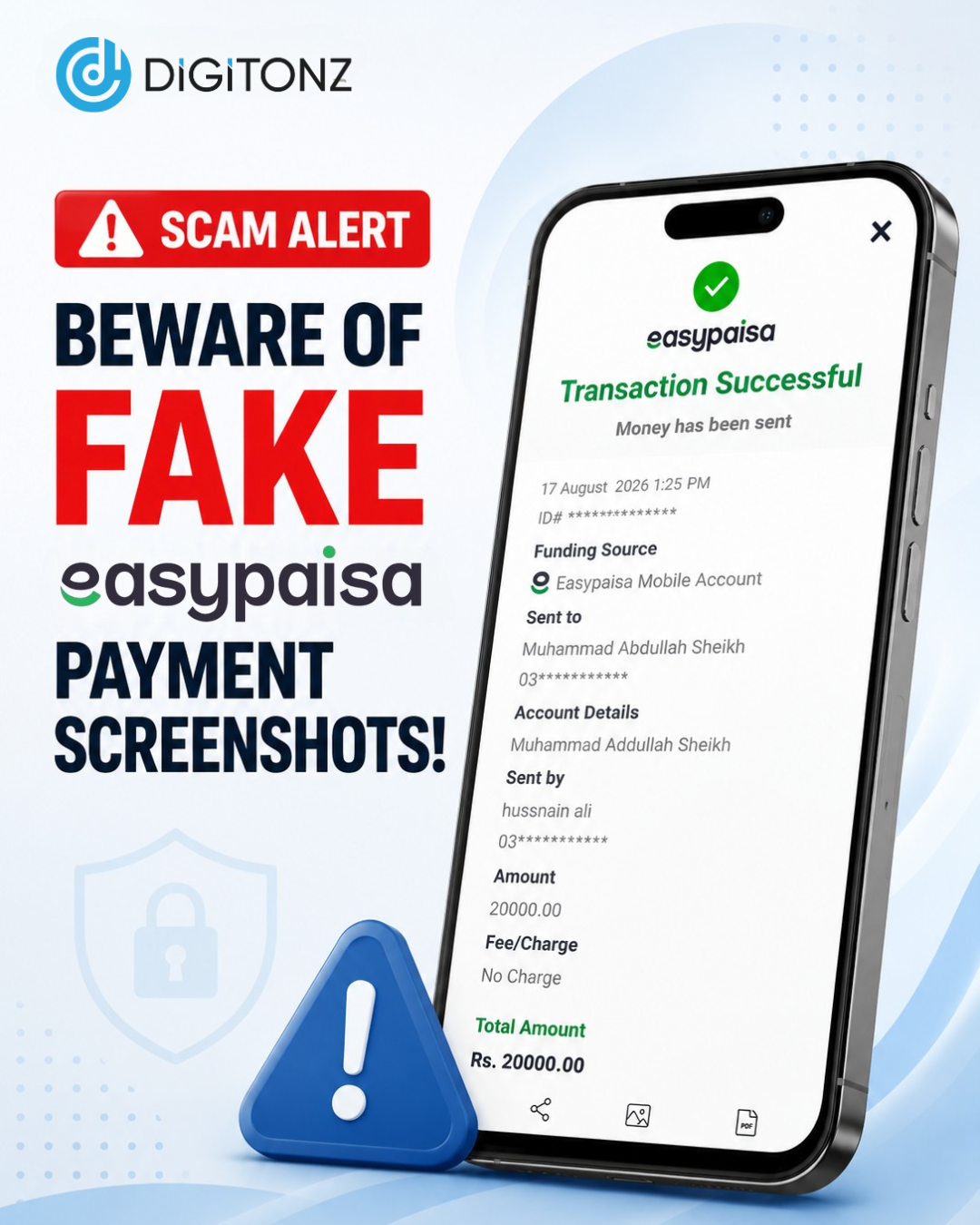
A fake Easypaisa screenshot is an edited or fabricated image that is made to resemble a genuine payment confirmation. It may display an amount, transaction information, date, time, or other details that make the payment appear legitimate.
A fraudster can send this image to a seller and claim that the payment has already been transferred. If the seller only looks at the screenshot and does not check their own account, they may release a product or provide a service without receiving any money.
The important thing to remember is that an image can be manipulated. Your own account activity is a much more reliable way to determine whether a payment was actually received.
How Does an Easypaisa Payment Scam Happen?
An Easypaisa payment scam can happen in several ways, but the basic method is usually similar.
A person contacts a seller and agrees to purchase a product or service. After supposedly making the payment, they send a transaction screenshot through WhatsApp, SMS, or another messaging platform.
The scammer may then create a sense of urgency. They might ask the seller to send the product immediately because they claim the payment has already been completed.
If the seller does not check the account before handing over the product, the scammer can disappear without paying.
This type of fraud can be particularly concerning for online sellers because transactions often happen quickly and employees may process multiple orders at the same time.
Why You Should Never Trust a Payment Screenshot
A screenshot only shows information displayed in an image. It does not independently confirm that money has reached your account.
This is why businesses should never rely solely on a fake payment screenshot or even a genuine-looking transaction image when processing an order.
Before sending a product, completing a service, or handing over an item, check the receiving account yourself. If the amount is not visible in your account, treat the payment as unverified.
A customer saying “I have already paid” is not enough. A screenshot saying “transaction successful” is not enough either.
The payment should be confirmed from the recipient’s side before the transaction is completed.
How to Identify a Fake Transaction Screenshot
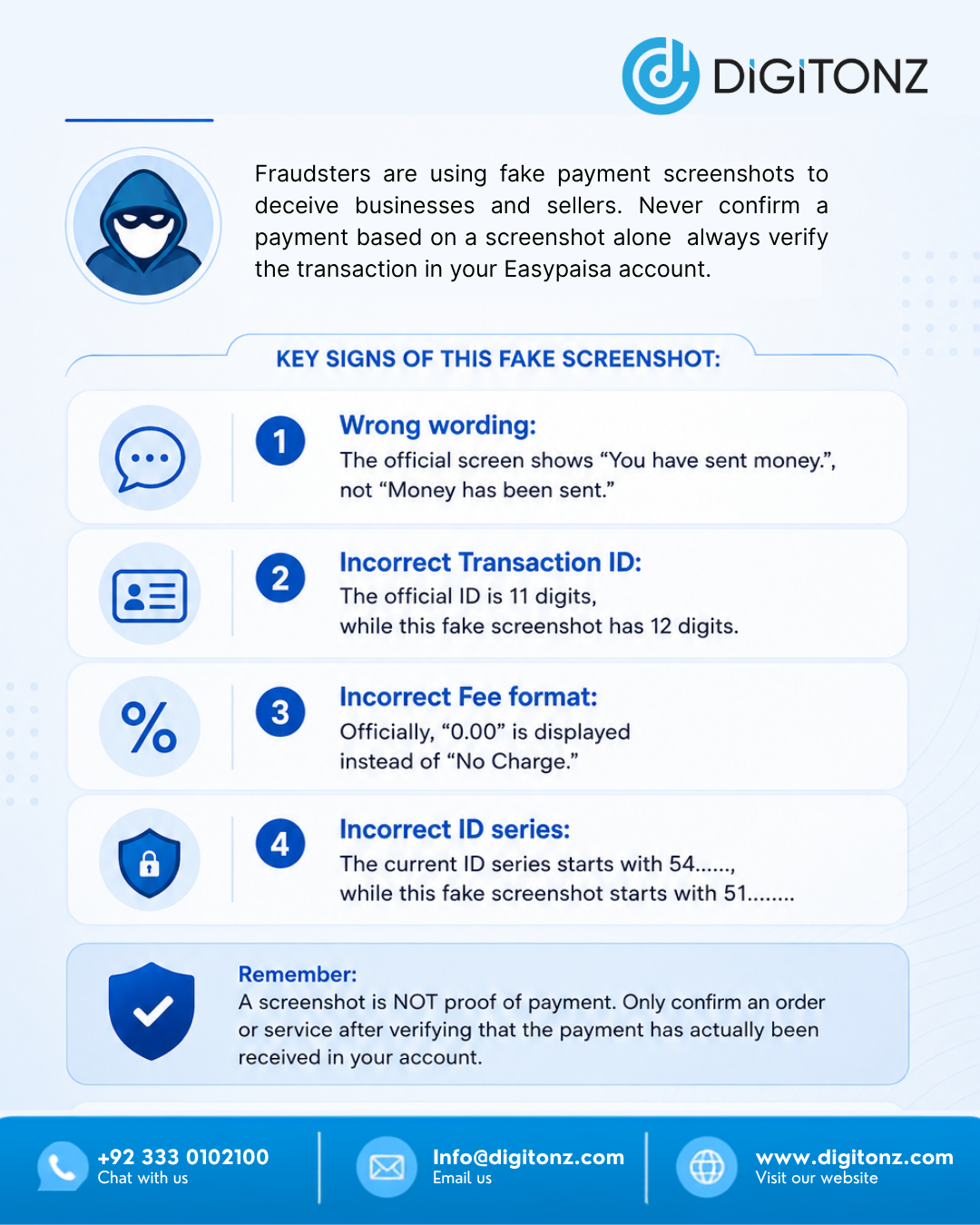
It can be difficult to identify every fake transaction screenshot simply by looking at it. Modern editing tools can make manipulated images appear convincing.
However, certain situations should immediately make you cautious.
If the customer is pressuring you to release an order before the payment appears in your account, stop and verify the transaction. You should also be careful when the transaction amount shown in the screenshot does not match the amount you were expecting.
Other warning signs include unusual messages, inconsistent transaction details, poor-quality images, or customers refusing to wait while you verify the payment.
Still, visual inspection should not be your primary verification method. Even if a screenshot looks completely genuine, check your own account before proceeding.
How to Verify Easypaisa Payment
If you are wondering how to verify Easypaisa payment, start by checking the receiving Easypaisa account rather than relying on information supplied by the sender.
Review your account or transaction records and confirm that the payment has actually been received. Make sure the amount corresponds with the order or service you are providing.
For businesses, employees should be trained to follow the same verification procedure for every order. This prevents someone from accidentally accepting a fraudulent payment screenshot.
A useful rule is:
No confirmed payment = No product dispatch.
Following this rule can protect sellers from many unnecessary losses.
How Businesses Can Prevent Easypaisa Fraud
Businesses that accept digital payments should establish clear payment verification procedures. Employees should know that screenshots are not a substitute for checking the actual payment.
For online stores, the order should remain pending until the payment has been confirmed. For physical businesses, staff should verify the transaction before handing over expensive products.
Businesses can also maintain proper payment records and match received amounts with customer orders. This makes it easier to identify unusual transactions and resolve payment disputes.
Small precautions can make a major difference when dealing with Easypaisa fraud.
Never Share Sensitive Account Information
Fake payment scams are not the only type of digital fraud users should watch out for. Scammers may also attempt to obtain confidential information by pretending to be customers, representatives, or financial service providers.
Never share your PIN, OTP, password, or other sensitive account information with someone simply because they claim that it is required to complete a payment.
If someone asks you to reveal confidential information or follow suspicious instructions, stop the transaction and verify the request through an official channel.
What to Do If You Suspect a Scam
If a customer sends a suspicious payment screenshot, do not release the product or service until the payment is confirmed.
Keep records of the conversation, transaction details, and any information provided by the customer. If you believe that an attempted Easypaisa scam has taken place, report the issue through the appropriate official support or complaint channel.
Businesses should also inform their staff about common payment scams so that everyone follows the same verification process.
Protect Your Business From Fake Payments
The rise of digital payments has made transactions faster, but it has also created new opportunities for fraudsters. Easypaisa fake payment screenshots are a good example of why users should verify payments instead of trusting images.
Whether you are a freelancer, online seller, retailer, or business owner, make payment verification a standard part of every transaction.
A screenshot can be edited. A message can be misleading. But a payment that has actually reached your account can be independently verified.
At Digitonz, we encourage businesses to combine digital convenience with digital awareness. By staying alert and following proper payment verification practices, you can reduce the risk of falling victim to payment scams and protect your business from avoidable financial losses.
Don’t trust the screenshot. Always verify the payment.